ImageToLayer.com vs Image2Layer: Which to Use?
ImageToLayer.com vs Image2Layer compared on cost per image, monthly plans vs packs, layer limits, upload size and exports, after testing both side by side.
 Image2Layer Team
Search for “image to layer” and two names come up that differ by a single character: Image to Layer at imagetolayer.com and Image2Layer at image2layer.com. They are different products from different teams, and if you are about to pay for one, it is worth knowing how they differ.
We ran the same images through both. Both turn a flat image into transparent layers you can download as a PSD. The real differences are in how much each image costs, how you pay, and how much room each tool gives you: file size, layer count and control over the result.
Image2Layer is our product, so we have stuck to facts you can check on both sites, starting with price.
ImageToLayer.com vs Image2Layer: Quick Comparison Table
| Feature | imagetolayer.com | Image2Layer |
|---|---|---|
| Core positioning | Simple interface on top of Replicate’s Qwen Image Layered model | ⚡ Full AI image-to-layers workspace, plus free PSD tools |
| How you pay | Monthly plans only: $1.90, $19 or $49 | 💰 Packs from $3.99, or optional monthly and yearly plans |
| Price per image | 30 credits per run (3 to 5 layers), 50 credits for 5 to 8 | 💰 8 credits per layer, charged only for layers delivered |
| 5-layer image, best price | $0.45 on the $49 plan | 💰 $0.28 on the 6,400-credit pack ($0.40 on the $3.99 pack) |
| Credit lifetime | 30 days | 📅 Pack credits valid for a full year |
| Layers per image | 3 to 8, in fixed modes | 🧩 Auto or 2 to 10; split any layer again; Targeted Layer for one element |
| Upload limit | 5 MB | 📁 24 MB (JPG, PNG, WebP) |
| Guiding the AI | Choose a mode and layer count | ✍️ Choose a count and add notes such as “keep the logo separate” |
| Downloads | PNG, JPG, WebP or PSD | 📤 Layered PSD, transparent PNG, JPG, WebP, ZIP; choose which layers to include |
| Free PSD tools | Not offered | 📂 17 tools: PSD viewer, PSD to PNG, JPG and PDF, PDF and AI to PSD, Quick PSD and more |
Core Positioning and Design Philosophy
imagetolayer.com: A Thin Layer Over One Model
imagetolayer.com describes itself as an independent interface built on third-party AI models; its converter runs Replicate’s Qwen Image Layered model. You upload an image of up to 5 MB, pick a mode, Turbo (3 layers), Standard (3 to 5) or Pro (5 to 8), and download the result.
Pricing follows the same fixed steps. Every Standard run costs 30 credits whether you get three layers or five, Pro runs cost 50, and credits come only from monthly plans that last 30 days.
Image2Layer: A Complete Workspace for Layers
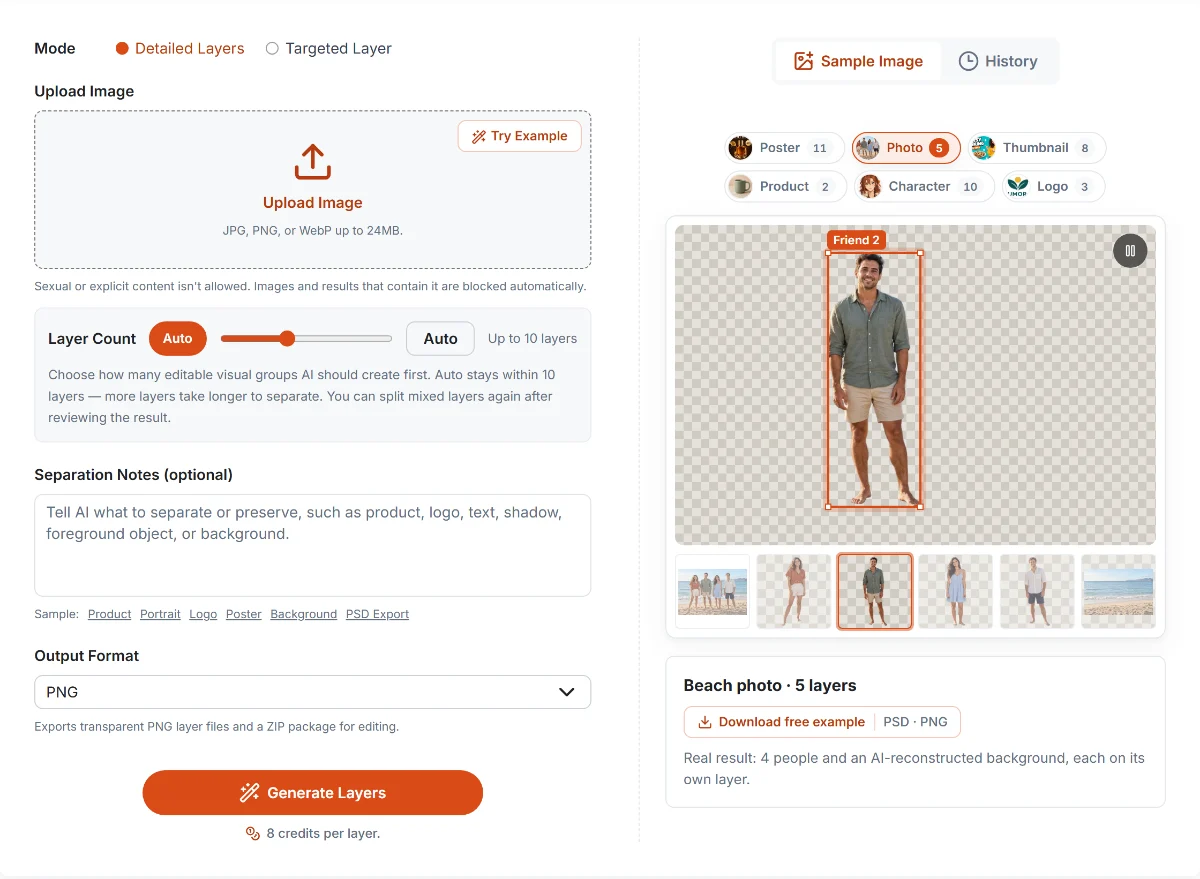
Image2Layer’s workspace with a real result: one beach photo, five layers (four people and the rebuilt background).
Image2Layer is built around control over the result. Upload a JPG, PNG or WebP of up to 24 MB, leave the layer count on Auto or choose any number from 2 to 10, and tell the AI what matters with a short note. You get named layers with the hidden areas rebuilt, and you pay 8 credits for each layer actually delivered.
If one layer still holds two things, split just that layer again. Targeted Layer pulls out a single element, such as a product, logo or subject, for a flat 16 credits. Results stay in My results for 30 days, and if you leave mid-run you get an email when the layers are ready.
Around the AI tool sit 17 free browser tools for everyday PSD work, from a PSD viewer to PDF and Illustrator to PSD, with no account, no credits and no upload.
Core Feature Comparison
💰 Pay for Layers, Not for Runs
Across real jobs on Image2Layer, the average separation has 3.2 layers, and 86% have four or fewer. On imagetolayer.com, a three-layer image costs the same 30 credits as a five-layer one. On Image2Layer, it costs 24 credits, $0.24 on the entry pack.
Summary: Image2Layer’s per-layer pricing means small images cost less, and you never pay for layers you did not get.
📅 No Subscription, Credits That Last
Image2Layer’s packs start at $3.99, enough for 50 layers, and stay valid for a full year. imagetolayer.com sells monthly plans only, and unused credits are gone after 30 days.
Summary: With Image2Layer you buy what you need, when you need it, and keep it for a year.
🧩 More Room: Bigger Files, More Layers
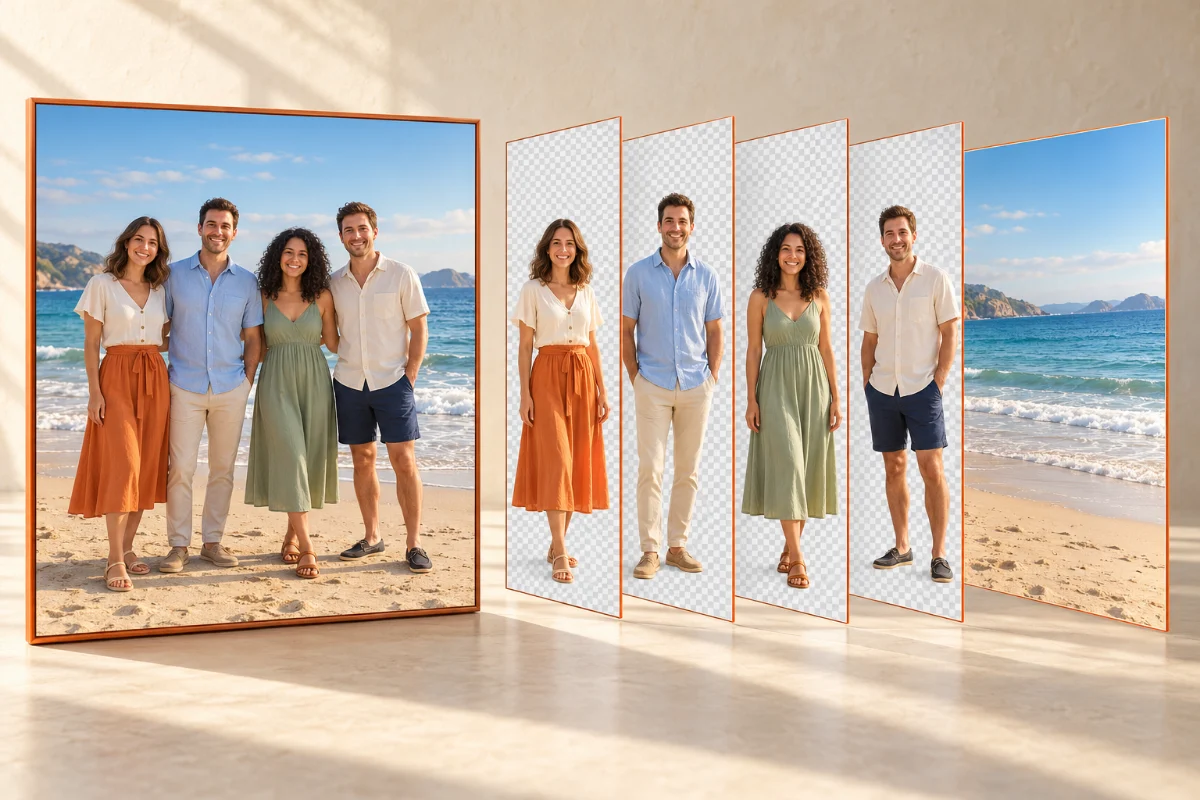
Image2Layer accepts files almost five times larger, 24 MB against 5 MB, so high-resolution photos and print artwork go in without resizing. It also goes up to 10 layers per run instead of 8, and any layer can be split again afterwards.
Summary: Image2Layer handles larger images and more complex scenes in fewer steps.
✍️ Control Over the Result

On Image2Layer, you can tell the AI what to keep apart with a plain note, extract one element on its own with Targeted Layer, preview every layer, switch off the ones you don’t want and download the rest as a PSD or ZIP. imagetolayer.com gives you a mode and a layer count.
Summary: Image2Layer gives you more ways to get exactly the layers you need.
📂 Free Tools for Everyday PSD Work
Opening a PSD, exporting its layers as PNGs, saving it as a PDF or turning a PDF into a PSD should not cost credits. On Image2Layer, all of that is free in the browser, with nothing uploaded. imagetolayer.com focuses on its single converter.
Summary: Image2Layer covers your daily PSD work for free.
Pricing Comparison: Monthly Plans vs Packs
The clearest way to compare is the cost of the same image. Here is imagetolayer.com’s cheapest rate, its $49 Premium plan, against Image2Layer’s smallest and largest packs.
| Image needs | imagetolayer.com ($49 plan) | Image2Layer ($3.99 pack) | Image2Layer (6,400-credit pack) |
|---|---|---|---|
| 3 layers | $0.45 | $0.24 | $0.17 |
| 5 layers | $0.45 | $0.40 | $0.28 |
| 8 layers | $0.74 (Pro mode) | $0.64 | $0.45 |
US-dollar list prices, checked October 20, 2026. imagetolayer.com’s Premium plan is $49 a month for 3,300 credits, per its pricing page; Standard runs cost 30 credits and Pro runs 50. Image2Layer charges 8 credits per layer; the 6,400-credit pack is $44.99.
Even Image2Layer’s smallest pack costs less per image than imagetolayer.com’s biggest plan, at every size.
imagetolayer.com: Three Monthly Plans
Starter is $1.90 a month for 100 credits, three Standard runs. Standard is $19 for 1,100 credits and Premium $49 for 3,300. Credits are valid for 30 days, and there are no one-off packs.
Image2Layer: Packs or Plans, Your Choice
Packs cost $3.99 for 50 layers, $7.99 for 112, $16.99 for 262 and $44.99 for 800, valid for a year. If you separate images every week, monthly plans start at $7.99 for 125 layers, and the yearly Studio plan brings the price down to about 4.7¢ per layer. Every job shows its maximum cost before you start.
Summary: Image2Layer costs less per image at every size, with no monthly commitment.
Scenario-Based Guide: Which Tool Should You Choose?
| Use case | Better choice | Why |
|---|---|---|
| You want the lowest cost per image | Image2Layer | 💰 Even the $3.99 pack beats the $49 plan per image |
| You don’t want a monthly subscription | Image2Layer | 📅 Packs valid for a year |
| Your photos are larger than 5 MB | Image2Layer | 📁 Uploads up to 24 MB |
| Busy scenes that need 9 or 10 layers | Image2Layer | 🧩 Up to 10 layers per run, then split any layer again |
| You need just one element: a product, logo or subject | Image2Layer | 🎯 Targeted Layer for a flat 16 credits |
| You want to tell the AI what to separate | Image2Layer | ✍️ Plain-language separation notes |
| You want results to wait for you | Image2Layer | 📬 My results for 30 days, plus an email when layers are ready |
| You open, preview or convert PSD files all the time | Image2Layer | 📂 17 free browser tools, no sign-in, nothing uploaded |
| You only need three quick runs a month | imagetolayer.com | Its $1.90 Starter plan |
Final Verdict: ImageToLayer.com or Image2Layer?
Both tools turn a flat image into downloadable layers, and their names are only a character apart. Everything else is different: Image2Layer costs less per image at every size, needs no subscription, takes files nearly five times larger, goes up to 10 layers and gives you far more control over the result.
Choose Image2Layer if you want clean layers at the lowest price per image, credits that last a year, and free tools for the rest of your PSD work.
imagetolayer.com makes sense mainly if you only need a handful of runs a month and are happy with its $1.90 plan.
The bottom line after testing both: for the occasional three-run month, imagetolayer.com’s starter plan is cheap. For anything more, from product shots to thumbnails to AI art, Image2Layer gets you better control and a lower price per image, every time. Open Image2Layer and try it on your own image.
Related Guides and Tools
- ImageToPSD vs Image2Layer, ImageToLayers vs Image2Layer and ImageLayered vs Image2Layer compare the other popular options.
- How to turn a flat image into a layered PSD walks through the whole workflow.
- How to choose the right layer count helps you decide between Auto and a fixed number.
- See current prices on the pricing page, and every free and AI tool in all tools.
FAQ About ImageToLayer.com vs Image2Layer
Is ImageToLayer.com the same as Image2Layer?
No. Image to Layer at imagetolayer.com and Image2Layer at image2layer.com are separate products from different teams, with different prices, models and features. This page compares the two.
Which one is cheaper per image?
Image2Layer, at every image size. Even its smallest pack ($3.99 for 400 credits) costs less per image than imagetolayer.com’s biggest plan ($49 a month): a 5-layer image is $0.40 on Image2Layer’s entry pack and $0.28 on its 6,400-credit pack, against $0.45 on imagetolayer.com’s Premium plan.
Do I need a monthly subscription?
Not with Image2Layer: credit packs start at $3.99 and stay valid for a year, and monthly or yearly plans are optional. imagetolayer.com sells monthly plans only, and their credits are valid for 30 days.
How many layers can each tool make?
imagetolayer.com makes 3 to 5 layers in Standard mode and 5 to 8 in Pro mode. Image2Layer makes 2 to 10 layers per run, or decides automatically, and lets you split any layer again or extract a single element with Targeted Layer.
What file sizes can I upload?
Image2Layer accepts JPG, PNG and WebP files up to 24 MB. imagetolayer.com accepts files up to 5 MB.
Do both export layered PSD files?
Yes. Both offer PSD and PNG downloads. Image2Layer also exports JPG, WebP and a ZIP, lets you download only the layers you keep switched on, and keeps results in My results for 30 days.
Thử Image2Layer với ảnh của bạn
Tải lên ảnh JPG, PNG hoặc WebP rồi xuất ra các lớp có thể chỉnh sửa, tài nguyên PNG trong suốt hoặc file PSD nhiều lớp.
Mở Image2Layer