ImageToPSD vs Image2Layer: Which Is Better?
ImageToPSD vs Image2Layer compared on cost per layer, plans, layer limits, exports and free PSD tools, after nearly 10 hours of side-by-side testing.
 Image2Layer Team
You have one flat image: a poster, a product shot, a thumbnail or a piece of AI art. You need it as layers, so you can move the subject, swap the background or fix the headline without rebuilding everything by hand.
Plenty of tools now promise exactly that. The trouble is that once you start using them for real work, the differences show up fast: how many layers you actually get, what each layer costs, what you can do with the result, and how much you end up paying every month.
We spent close to 10 hours running the same images through two of the most direct options: ImageToPSD, a PSD converter with region-based layer editing, and Image2Layer, an AI image-to-layers tool that also bundles a set of free PSD utilities. Image2Layer is our product, so we have stuck to facts you can check on both sites, starting with price.
ImageToPSD vs Image2Layer: Quick Comparison Table
| Feature | ImageToPSD | Image2Layer |
|---|---|---|
| Core positioning | PSD converter with region-based layer editing | ⚡ Low-cost AI image to layers, plus free PSD tools |
| Best for | Very deep splits of one crowded design | 🎯 Everyday layer work at the lowest cost per layer |
| Entry price | $4.90 for about 49 layers | 💰 $3.99 for 50 layers |
| Cost per layer (packs) | 10.0¢ down to 6.7¢ | 💰 8.0¢ down to 5.6¢ |
| Plans | Credit packs only | 📅 Packs, or monthly and yearly plans from 4.7¢ per layer |
| Billing | By resolution and layers extracted; held upfront, excess refunded | ✅ Flat 8 credits per layer, charged only for layers delivered |
| Layers per image | Up to 16 on paid packs; more with region boxes on bigger packs | 🧩 Up to 10 per run; split any layer again, or extract one element |
| Free to start | 20 credits at sign-up (basic model, up to 4 layers) | 🎁 10 welcome credits, plus 17 free tools with no sign-in |
| Free PSD tools | PSD to JPG, PNG and WebP | 📂 PSD viewer, PSD to PNG, JPG and PDF, PDF and AI to PSD, Quick PSD and more |
| Downloads | Layered PSD, PNG layer stack | 📤 Layered PSD, transparent PNG, JPG, WebP, ZIP; choose which layers to include |
| Currency | US dollars only | 🌍 Your local currency; Alipay and WeChat Pay for packs |
| Watermark | None | None, commercial use on every plan |
Core Positioning and Design Philosophy
Both tools start from the same promise, a flat image in and a layered PSD out, but they are built around different ideas of what most people need.
ImageToPSD: Region-Based Layer Editing
ImageToPSD converts an image into a layered PSD and lets you box extra regions on the canvas to split it further, with a layer editor in the browser.
How deep it goes depends on how much you buy. The free tier runs a basic model and stops at four layers per run, 16 layers needs a paid pack, and the deepest region splits are reserved for the $19.90 Pro and $49.90 Studio packs. Everything is sold as one-off credit packs, with no plan that lowers the price for regular use.
Image2Layer: Fast, Affordable Layers Plus a Free PSD Toolkit
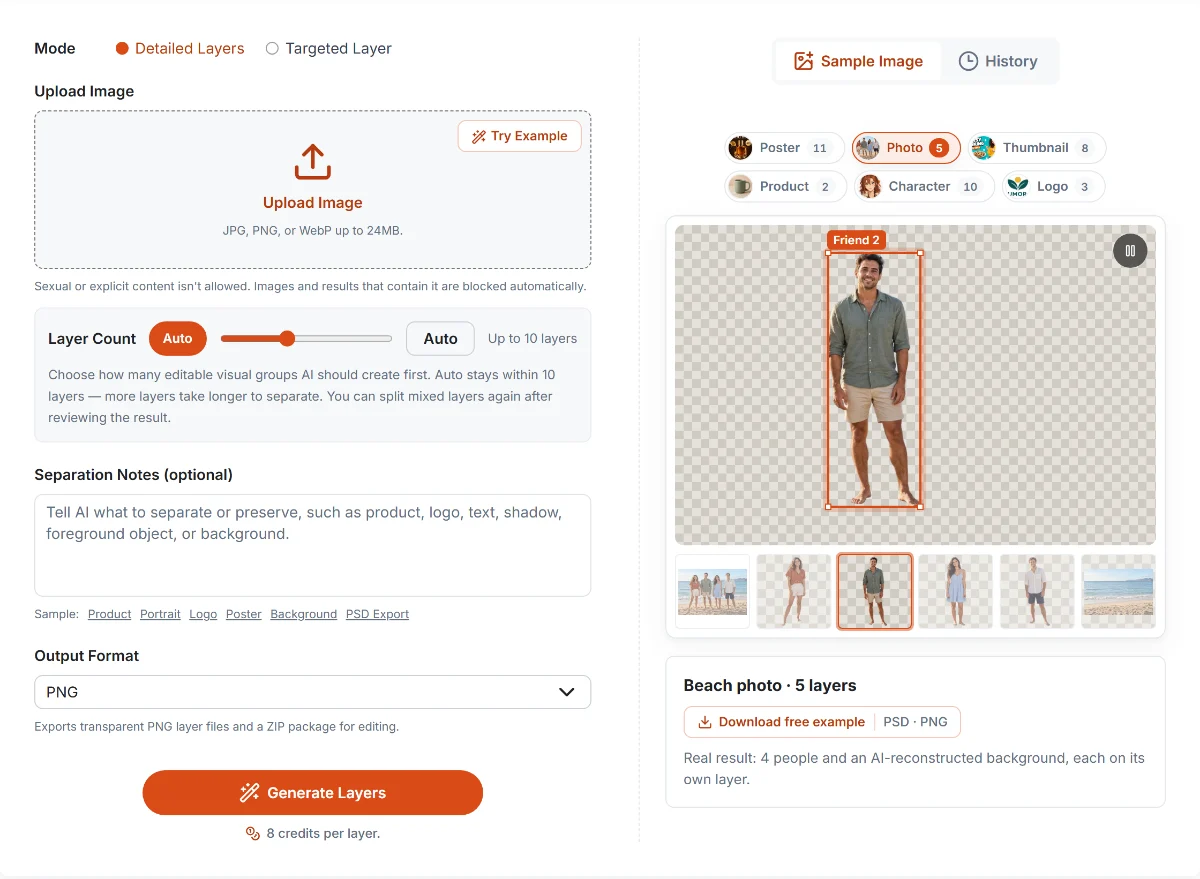
Image2Layer’s workspace with a real result: one beach photo, five layers (four people and the rebuilt background).
Image2Layer is built around the jobs people actually run, with each layer costing as little as possible.
You upload an image, leave the layer count on Auto or pick 2 to 10 layers, add an optional note such as “keep the logo separate”, and get named layers with the hidden areas rebuilt. You see the maximum cost before you start, and you are charged only for the layers delivered.
When an image needs more, you split a single layer again instead of paying for a deeper run up front. Targeted Layer pulls out one element, such as a product, logo or subject, for a flat 16 credits.
Around the AI tool sits a set of 17 free browser tools: a PSD viewer, PSD to PNG, JPG and PDF converters, PDF and Illustrator to PSD, Quick PSD and more. They need no account, use no credits and never upload your file.
Core Feature Comparison
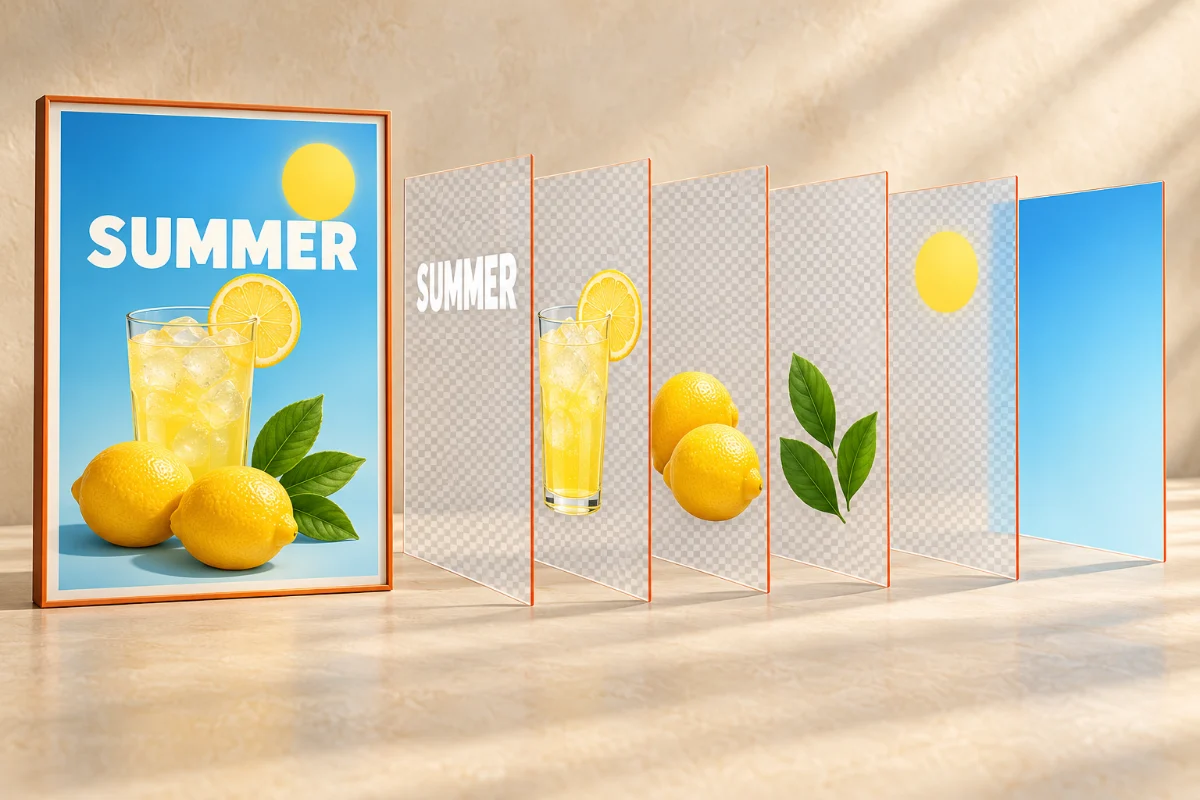
Here is how the two compare on the things that came up most during testing.
🧩 Layer Depth: What Most Images Actually Need
Across real jobs on Image2Layer, the average separation has 3.2 layers, and 86% have four or fewer. A ceiling of 10 layers per run covers almost every photo, product shot, thumbnail and poster, and keeps runs quick.
When a layer still holds two things, “Split this layer further” separates just that layer, and Targeted Layer extracts a single element. You pay for extra depth only where an image needs it, instead of buying a bigger pack to unlock it. ImageToPSD goes deeper in a single pass on its larger packs, which mainly matters for very crowded designs.
Summary: For everyday images, Image2Layer gives you the layers you need for less money. ImageToPSD’s extra depth is mostly useful for dense posters with dozens of elements.
📤 From Result to Download
Image2Layer lets you preview every layer, switch off the ones you don’t want and download the rest as a layered PSD, transparent PNGs, JPG, WebP or a ZIP. Results stay in My results for 30 days, failed runs are never charged, and if you close the tab mid-run you get an email when the layers are ready.
ImageToPSD exports a layered PSD or a PNG layer stack, with an in-browser editor for rearranging layers first.
Summary: Image2Layer gives you more export formats and full control over what goes into the download.
📂 Free Tools for Everyday PSD Work
Image2Layer is free for everything around the AI: opening PSD files, exporting layers as PNGs, saving a PSD as a PDF, turning a PDF or Illustrator file into a PSD, or making a one-layer PSD with Quick PSD. All 17 tools run in the browser, with no account and nothing uploaded. ImageToPSD’s free tools cover converting PSD to JPG, PNG and WebP.
For AI layers, a two-layer split on Image2Layer costs 16 credits, about 16¢ on the entry pack.
Summary: Image2Layer covers far more of your daily PSD work for free, and keeps paid AI runs cheap.
🌍 Prices in Your Currency
Image2Layer shows prices and charges in your local currency, from yen and won to euros and reais, with Alipay and WeChat Pay available for credit packs. ImageToPSD charges in US dollars, even on its Chinese, Japanese and German pages.
Summary: With Image2Layer you see and pay the price in your own currency, with no dollar conversion at checkout.
Pricing Comparison: Packs Only vs Packs or Plans
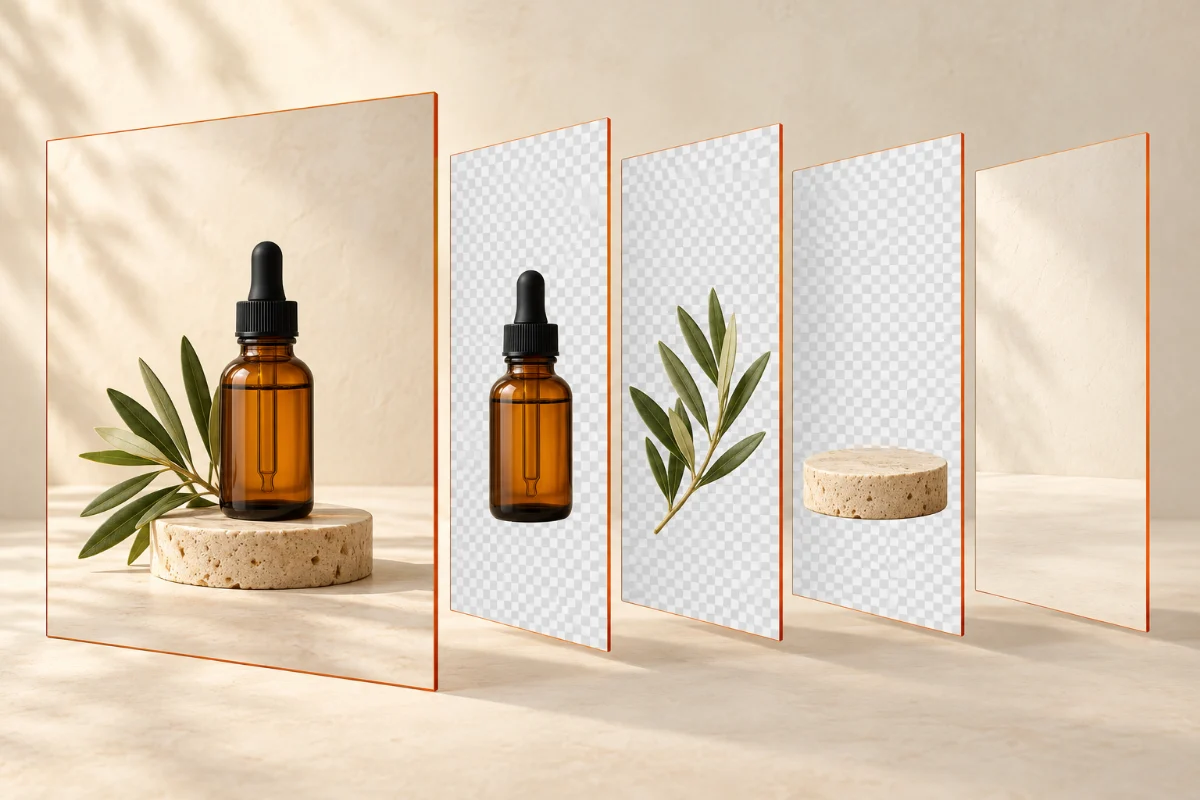
Price is where the two tools differ most, and it is the clearest win for Image2Layer.
| Spend about | ImageToPSD | Image2Layer | You get with Image2Layer |
|---|---|---|---|
| $5 | $4.90 · about 49 layers · 10.0¢ each | $3.99 · 50 layers · 8.0¢ each | 1 more layer for $0.91 less |
| $20 | $19.90 · about 249 layers · 8.0¢ each | $16.99 · 262 layers · 6.5¢ each | 13 more layers for $2.91 less |
| $50 | $49.90 · about 749 layers · 6.7¢ each | $44.99 · 800 layers · 5.6¢ each | 51 more layers for $4.91 less |
US-dollar list prices on both sites, checked October 20, 2026. ImageToPSD’s layer counts are its own estimates; it bills by resolution and layers extracted. Image2Layer charges 8 credits per layer and shows local-currency prices in many countries.
ImageToPSD: One-Off Credit Packs
ImageToPSD sells three one-off packs, valid for a year. The price per layer only drops on the bigger packs, and there is no subscription for regular use.
Image2Layer: Lower Packs, Plus Plans for Regular Work
Image2Layer’s packs are cheaper at every size, and there is an extra $7.99 pack for 112 layers in between. Pack credits also last a year.
If you separate images every week, the monthly and yearly plans go further: Starter at $7.99 a month gives 125 layers (6.4¢ each), and the yearly Studio plan brings the price down to about 4.7¢ per layer. Every job shows its maximum cost before you start, and you are charged only for the layers actually delivered.
Summary: Image2Layer gives you more layers for less money at every pack size, and its plans go lower still for regular use.
Scenario-Based Guide: Which Tool Should You Choose?
| Use case | Better choice | Why |
|---|---|---|
| You separate images every week and watch your budget | Image2Layer | 💰 Lower cost per layer at every pack size |
| Product shots, thumbnails, portraits and posters | Image2Layer | ⚡ Auto mode covers them, and you pay only for delivered layers |
| You need just one element: a product, logo or subject | Image2Layer | 🎯 Targeted Layer extracts it for a flat 16 credits |
| You open, preview or convert PSD files all the time | Image2Layer | 📂 17 free browser tools, no sign-in, nothing uploaded |
| You want only some layers in the download | Image2Layer | ✅ Switch layers off and download the rest as PSD or ZIP |
| You need JPG, WebP or a ZIP as well as a PSD | Image2Layer | 📤 Every format from the same result |
| You want a monthly or yearly plan | Image2Layer | 📅 Plans from 4.7¢ per layer; ImageToPSD sells packs only |
| You pay in yen, euros, won or another local currency | Image2Layer | 🌍 Local-currency prices; ImageToPSD charges in US dollars |
| You need 30 or more layers from one crowded poster | ImageToPSD | Region editing on its Pro and Studio packs |
| You process dozens of images at once | ImageToPSD | Batch uploads on its Studio pack |
Final Verdict: ImageToPSD or Image2Layer?
ImageToPSD and Image2Layer both turn a flat image into a real layered PSD. For most people, the deciding factor is what each layer costs, and that is where Image2Layer wins at every pack size.
Choose Image2Layer if you separate images regularly and want each layer to cost less. It is cheaper at every pack size, offers plans for regular work, charges only for the layers it delivers, exports every format you need, and comes with free tools for everything else you do with PSD files.
ImageToPSD makes sense mainly if you need 30 or more layers from a single image, or batch uploads.
The bottom line after nearly 10 hours of testing: if you need to pull 40 layers out of one crowded poster, ImageToPSD’s Studio pack will do it. For everything else, the product shots, thumbnails and AI art that need a handful of clean layers each, Image2Layer gives you the same layered PSD for less money, every time. Open Image2Layer and try it on your own image.
Related Guides and Tools
- ImageToLayers vs Image2Layer, ImageToLayer.com vs Image2Layer and ImageLayered vs Image2Layer compare the other popular options.
- How to turn a flat image into a layered PSD walks through the whole workflow.
- How to choose the right layer count helps you decide between Auto and a fixed number.
- Image layer separation vs background removal explains when a simple cut-out is enough.
- See current prices on the pricing page, and every free and AI tool in all tools.
FAQ About ImageToPSD vs Image2Layer
Is Image2Layer cheaper than ImageToPSD?
Yes, at every pack size. Image2Layer charges a flat 8 credits per layer: $3.99 buys 50 layers, $16.99 buys 262 and $44.99 buys 800, which works out to 8.0, 6.5 and 5.6 cents per layer. ImageToPSD estimates about 49, 249 and 749 layers for $4.90, $19.90 and $49.90, or 10.0, 8.0 and 6.7 cents. Image2Layer’s monthly and yearly plans go lower still, down to about 4.7 cents per layer.
How many layers does an image really need?
Fewer than most people expect. Across real jobs on Image2Layer, the average separation has 3.2 layers and 86% have four or fewer. Image2Layer makes up to 10 layers per run and lets you split any layer again, so you pay for extra depth only where an image needs it.
Can I use Image2Layer for free?
Image2Layer’s 17 browser tools, including the PSD viewer, PSD to PNG, PSD to PDF and Quick PSD, are free with no sign-in and never upload your file. New accounts also get 10 welcome credits. An AI layer split starts at 16 credits, about 16 cents on the entry pack.
Do both tools export real layered PSD files?
Yes. Both deliver a PSD with each element on its own transparent layer, which opens in Photoshop, Photopea, Affinity Photo and GIMP. Image2Layer also exports the layers as transparent PNGs, JPG or WebP files and a ZIP, and lets you download only the layers you keep switched on.
Is ImageToPSD the same as imagetopsd.ai?
No. This comparison covers ImageToPSD at imagetopsd.com. imagetopsd.ai is a separate service with its own prices and features.
Can I use the layers commercially?
Yes. Image2Layer adds no watermark on any plan, and you can use the exported layers in personal and commercial work. ImageToPSD exports are watermark-free as well.
Try Image2Layer with your own image
Upload a JPG, PNG, or WebP image and export editable layers, transparent PNG assets, or a layered PSD.
Open Image2Layer