
Open your video
Drop an MP4, MOV or WebM file on the converter, choose one from your device, or start with a sample clip. The video plays from your own device; nothing is sent to a server.
FREE · RUNS IN YOUR BROWSER
Turn an MP4, MOV or WebM clip into a GIF right in your browser. Trim it on the filmstrip, crop it square or to a story shape, add a caption or a boomerang loop, and watch the estimated file size update as you go. Free, no sign-up, and the video never leaves your device.
MP4, MOV or WebM that your browser can play. Clips up to 60 seconds work best.
Up to 1 GB · converted on your deviceOr try a sample clip
THREE STEPS
Open a clip, choose the moment and the look, then make the GIF. Everything runs on your device.
Drop an MP4, MOV or WebM file on the converter, choose one from your device, or start with a sample clip. The video plays from your own device; nothing is sent to a server.
Drag the start and end handles on the filmstrip, pick a crop shape, then set the width, frame rate, speed, loop and an optional caption. The size estimate updates with every change.
Press Make GIF. Frames are captured and encoded in a background worker, with a progress bar you can cancel. Check the result, then download the GIF or the frames as PNG files.
MADE WITH THIS CONVERTER
Each GIF below was made on this page from one of the sample clips, and the numbers are those of the real file. Open a clip to make the same GIF yourself and try other settings.
 GIF · 362 KB
Reaction GIF
320 × 320 px · 12 fps · 2.2 s loop
A flat cartoon on a still background, cropped square with a caption. Most pixels never change, so the GIF stays small.
 GIF · 450 KB
Still background
400 × 267 px · 12 fps · 4.4 s loop
Four friends hop in turn while the beach stays put, so each frame only redraws the person who moves.
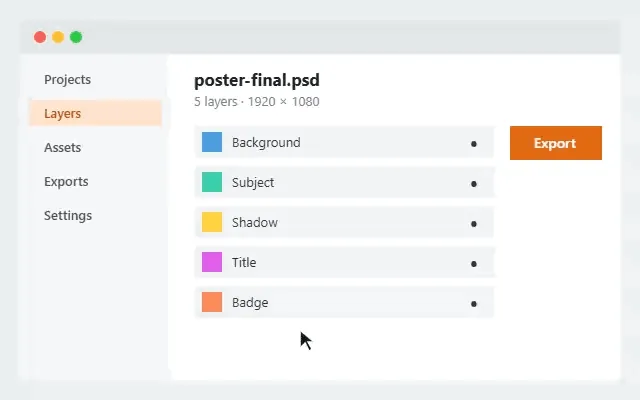 GIF · 62 KB
Docs and tutorials
640 × 400 px · 12 fps · 6.0 s loop
Flat interface colours compress very well, so a full-width tutorial clip stays light.
 GIF · 673 KB
The hardest case
320 × 320 px · 12 fps · 3.0 s loop
Falling confetti changes nearly every pixel in every frame, the heaviest kind of GIF. A smaller width keeps it practical.
SIZE AND QUALITY
A GIF stores each frame as a picture of at most 256 colours, compressed with LZW, and it has no sound. It has none of the motion prediction that keeps MP4 small: at best a frame reuses the unchanged pixels of the one before. These settings decide the size.
| Setting | What it does to the size | Tip |
|---|---|---|
| Width | Size follows the pixel area: doubling the width makes four times as many pixels per frame. | 320–480 px suits chats and docs; 640–800 px a web page. |
| Frame rate | Every frame adds data, so 24 fps writes twice as many frames as 12 fps. | 10–15 fps looks smooth for most moments. |
| Length and speed | Frames = seconds × frame rate. A faster speed covers the same moment in fewer frames; boomerang doubles them. | Keep reactions to 2–6 seconds. |
| Colours | Fewer palette colours mean shorter codes and longer repeats, but more visible banding. | 128–256 for photos and video; 32–64 for cartoons and screen recordings. |
| Dithering | Mixes palette colours to hide banding in gradients, but the fine pattern compresses worse. | Turn it off for flat cartoons and app screens. |
| Keep still pixels | Pixels that did not change are written as transparent, and each frame is cropped to the area that changed. | Leave it on; it saves the most on still backgrounds. |
| Palette | One palette keeps colours steady across the GIF; a palette per frame fits changing scenes better but stores a colour table in every frame. | Try per frame when the colours change a lot during the clip. |
WHY THIS CONVERTER
Everything you need to make a GIF that looks right and fits where it is going.
Before you make the GIF, your frames are encoded with your settings in the background: clips of up to 30 frames in full, so the number is the real size, and longer clips from pairs of real frames spread over the selection.
Pick 2, 5, 8, 10 or 15 MB. If the GIF would be larger, the converter lowers the width (then the frame rate) and checks the result again.
Add meme-style text at the top or bottom, with a dark outline that reads on any background. It is drawn into every frame.
Play the clip forward, backward, or forward then back for a seamless loop, and choose to loop forever or play once.
Export the trimmed, cropped frames as full-colour PNG files in a ZIP, with a JSON file of frame times and play order.
Decoding, frame capture and GIF encoding all happen in your browser, the encoding in a background worker. No upload, no account, no watermark.
WHERE GIFS WORK
A GIF plays everywhere without a play button, which makes it the easiest way to show motion where video does not play.
Trim a funny second or two, crop it square and add a caption. If the app limits upload size, set Max file size to match.
1:1 crop · 320–480 px · 12 fps
Turn a screen recording into a looping clip for a help article, README or bug report. Flat app colours compress well.
Original crop · 640–800 px · 10–12 fps · 64 colours, no dithering
Show a feature or a product spin in email and on pages where video does not play. A still background keeps the file small.
480–640 px · 12–15 fps · keep still pixels on
Top and bottom captions, boomerang loops and a faster speed are each one click away.
Caption on · boomerang · 1.25–1.5× speed
Open a video in the converter at the top of this page, drag the handles on the filmstrip to choose the moment, set the crop, width and frame rate, then press Make GIF and download the result.
Yes. It is free, with no sign-up, no credits, no daily limit and no watermark on the GIF.
No. Your browser opens the video, the frames are captured on your device and the GIF is encoded in a background worker on your device. Nothing is sent to our servers.
Any video your browser can play: MP4 (H.264), WebM (VP8, VP9 or AV1) and most MOV files. HEVC (H.265) videos, common from phones, only open where the browser and device can decode HEVC. If a file does not open, convert it to MP4 or try another browser.
Up to 60 seconds and 600 frames per GIF (a boomerang counts both directions), and frames × width × height may not pass 150 megapixels. The converter tells you which limit a setting hits. Most GIFs work best at 2 to 10 seconds.
Lower the width first, then the frame rate, then shorten the clip. Fewer colours and no dithering help with cartoons and screen recordings, and Keep still pixels should stay on. Or choose a Max file size and let the converter fit the GIF under it.
Clips of up to 30 frames are encoded in full in the background, so the estimate is the real size. Longer clips are projected from pairs of real frames spread over your selection, encoded with your exact settings; that is usually close, but clips whose motion changes a lot between those samples can differ. The exact size is always shown once the GIF is made.
A GIF frame can use at most 256 colours. Dithering mixes colours to hide banding in gradients, which can look grainy up close; turning it off gives clean flat areas but visible bands in skies and shadows. More colours or a palette per frame help colourful scenes.
No. The GIF format has no audio, so the sound is left out.
Yes. Export frames (PNG ZIP) saves the trimmed, cropped frames, caption included, as full-colour PNG files with a frames.json file. You can also open a finished GIF in GIF to Frames or GIF to Sprite Sheet.
VIDEO TO GIF
Open a clip, pick the moment and download the GIF. Free, private, nothing uploaded.
Choose a video