
 01
01Open Your File in the PSD Viewer
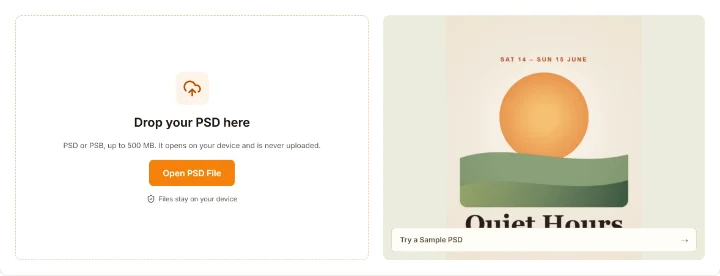
Drop a PSD or PSB file onto the viewer, choose one from your device, or open a sample. It is read on your device.
FREE ONLINE PSD VIEWER
Open PSD and PSB files free in your browser: show or hide layers, zoom to 1600%, read the text and fonts, and save PNG, JPG or every layer. Nothing is uploaded and there is no sign-up.
PSD or PSB, up to 500 MB. It opens on your device and is never uploaded.
Files stay on your device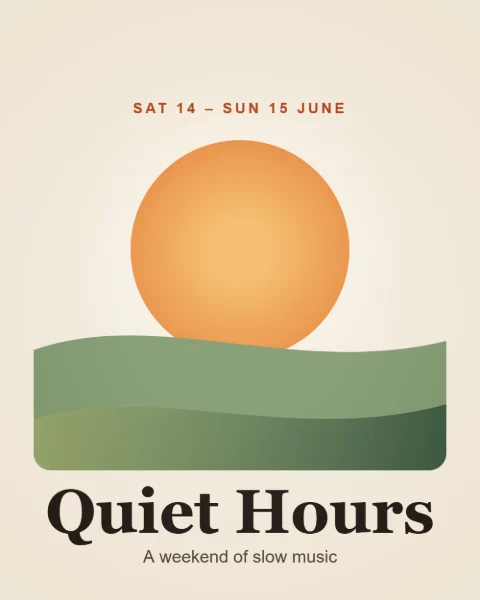
No Photoshop, no account, three steps.
01Drop a PSD or PSB file onto the viewer, choose one from your device, or open a sample. It is read on your device.
 02
02Zoom up to 1600% with the wheel, the buttons or a pinch, drag to pan, and click an eye to hide a layer. Alt-click an eye to see one layer alone.
 03
03Read the text and fonts, check sizes, blend modes and DPI, then save the view as PNG or JPG, one layer, or every layer in a ZIP.
If Photoshop saved a finished picture in the file, you see exactly that picture until you hide a layer.
Every rebuilt picture is flagged. To get Photoshop's own picture, turn on Preferences > File Handling > Maximize PSD and PSB File Compatibility and save again.
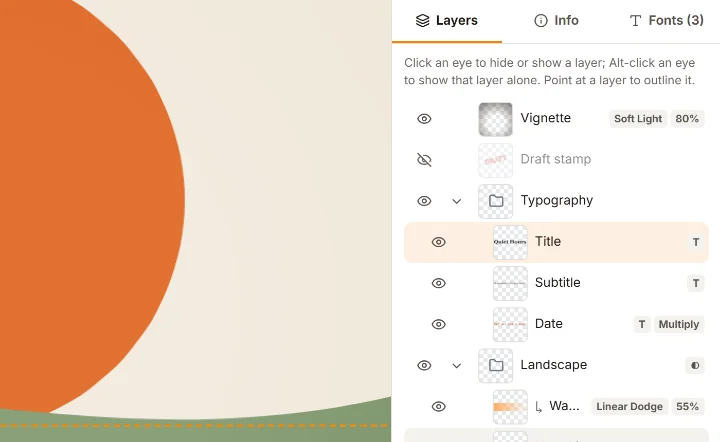
The layers panel works like Photoshop's: thumbnails, eye icons, groups that fold and badges for text, masks, styles and clipping. Hide a layer and the picture is rebuilt at once.
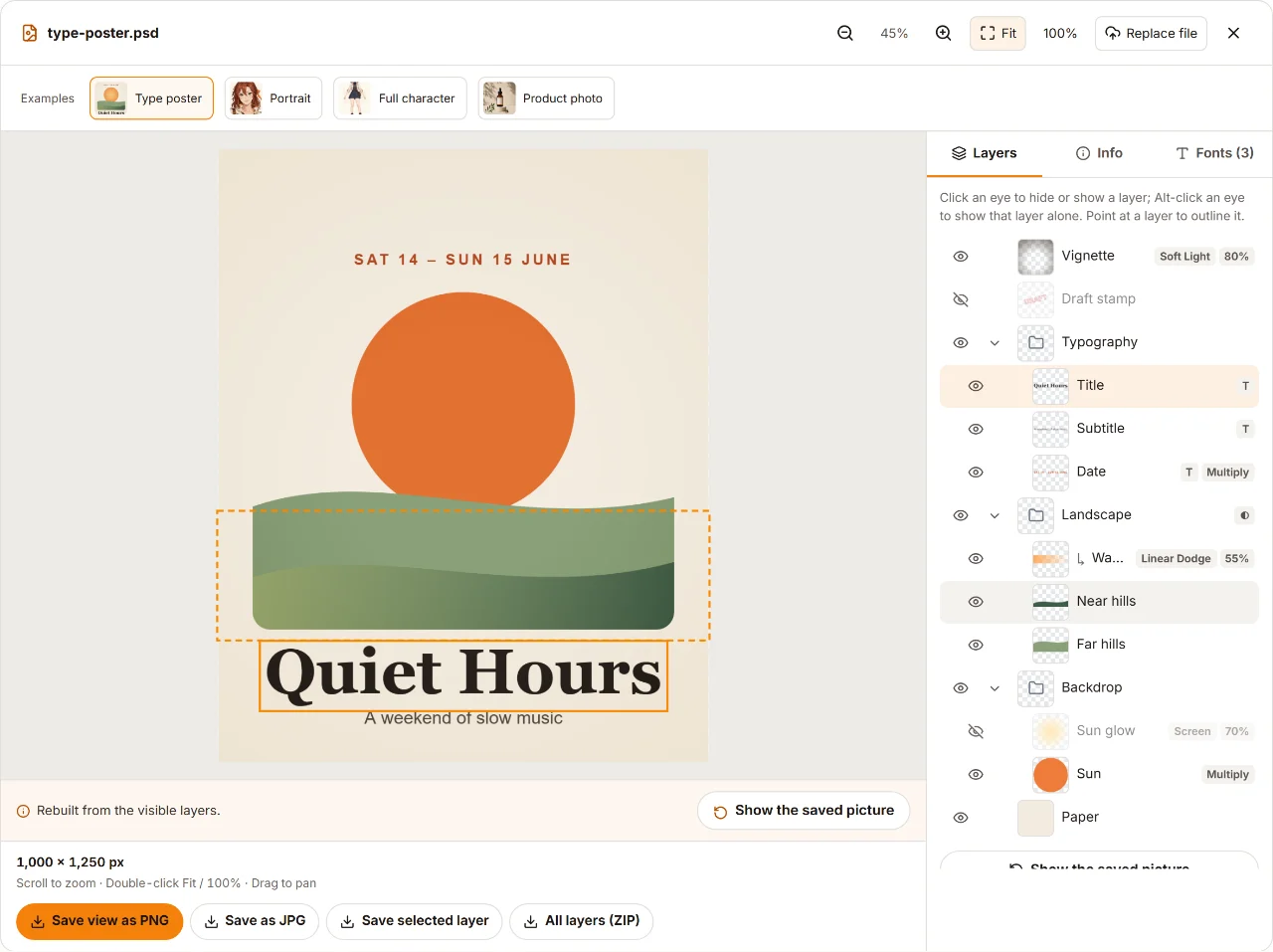
Everything in the screenshot runs in the browser. Hiding layers only changes what you see and save; the PSD file itself is never modified.
The viewer reads your file on your device, so there is no upload wait and nothing leaves your computer. Free, no sign-up, no watermark.
Top to bottom with thumbnails, folding groups and badges for text, masks, layer styles, clipping, blend mode and opacity.
Click an eye and the picture is rebuilt from the visible layers, with masks, clipping, groups and blend modes. Alt-click shows one layer alone.
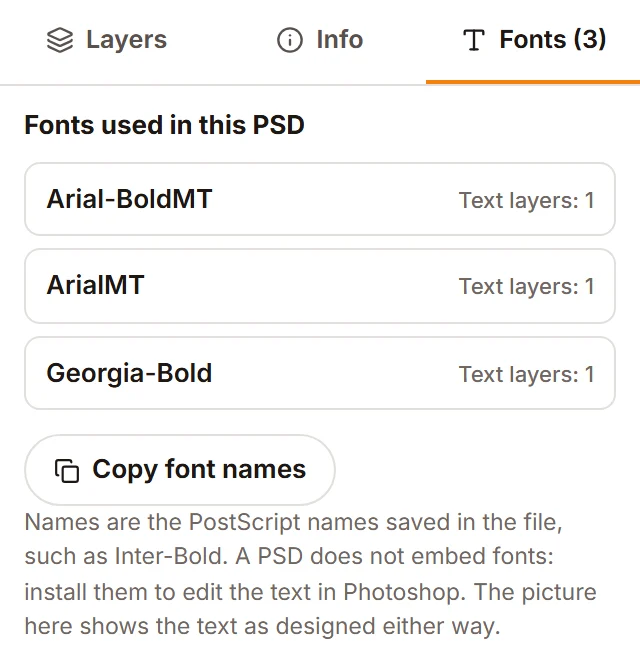
See every font named in the file's text layers, how many layers use each, and copy the list. Select a text layer to read and copy its text.
A PSD saved without Maximize Compatibility holds no finished picture. The viewer rebuilds it from the layers and tells you so.
Save what you see as a transparent PNG or a JPG on white, one layer as a trimmed PNG, or every visible layer in a ZIP, all with the file's DPI.
Limits: PSD and PSB up to 500 MB and canvases up to 100 megapixels on a computer (32 on a phone or tablet). Lab, Duotone and Multichannel files do not open yet. The viewer does not edit text or save back to PSD.
Five tips to open PSD files without Photoshop.
Windows has no built-in PSD support, and Preview on a Mac shows only the flattened picture, without layers. A browser works everywhere: open this viewer on Windows, Mac, a Chromebook or a phone and drop the file in. Nothing to install, no account, and the file never leaves your device.
Photoshop saves a finished picture in a PSD only with Maximize Compatibility on. Without it, previews and many apps show a blank or white image, while this viewer rebuilds the picture from the layers. To fix the file for good, set Preferences > File Handling > Maximize PSD and PSB File Compatibility to Always and save again.
A PSD does not embed its fonts, so other apps may swap them. This viewer shows the text as rendered in the file, so it looks as designed. Open the Fonts tab to list every font, select a text layer to read and copy its words, and check each layer's blend mode, opacity, position and size.
PNG keeps transparency; JPG has none, so the background becomes white. Both keep the file's DPI. All layers (ZIP) holds one canvas-size PNG per visible layer, named after the layer and sorted into folders by group, so the pieces line up again when stacked. For many files at once, use PSD to PNG.
PSB is Photoshop's Large Document Format for files past the 2 GB PSD limit. The viewer opens PSD and PSB files up to 500 MB; on a phone it asks first when a file is over 100 MB, because phones have less memory. On a touch screen, pinch to zoom and drag to pan.
Drop the PSD or PSB onto the viewer above, or press Open PSD File. It opens in your browser, free, without an account, and you can hide layers, zoom, read the text and save PNG or JPG.
Use this viewer to view a PSD file without Photoshop in any current browser: Chrome, Edge, Firefox or Safari. Nothing needs to be installed, and it shows every layer, unlike the flat previews built into Windows or macOS. Other programs that can open PSD files include Photopea, GIMP, Krita and Affinity.
No. Files are read and shown on your device and never sent to our servers. Only the samples are downloaded from our site when you open one.
The file was probably saved without Maximize Compatibility, so it holds no finished picture. The viewer rebuilds it from the layers and says so; layer styles and adjustment layers are not drawn in a rebuilt picture. Re-saving with Maximize Compatibility on fixes it.
Yes. Click the eye next to a layer or group to hide or show it, and Alt-click an eye to show only that layer. The picture is rebuilt from the visible layers; Reset layer visibility brings back the file as it was saved.
Yes. All layers (ZIP) saves every visible layer as a canvas-size PNG, sorted into folders by group, and Save selected layer saves one layer as a trimmed PNG. You can also save the current view as PNG or JPG.
Open the file and choose the Fonts tab: it lists every font named in the text layers and how many layers use it, with a button to copy the names. Text that was rasterized into pixels is not listed, because the file no longer stores it as text.
No. The viewer shows, checks and exports; it does not edit text or layers or save back to PSD. To make a new layered PSD from a flat picture, try our AI Image to PSD tool.
Need layers from a flat image?
These PSD tools are free and stay in your browser. When you only have a flat picture, our AI tools separate it into transparent layers and build a layered PSD. The AI tools run on our servers and use credits.