What Is a PSD File? Photoshop Format Explained
Learn what a PSD file is, what its layers can contain, how to open it, and when to use PSD instead of JPG, PNG, or PDF.
 Image2Layer Team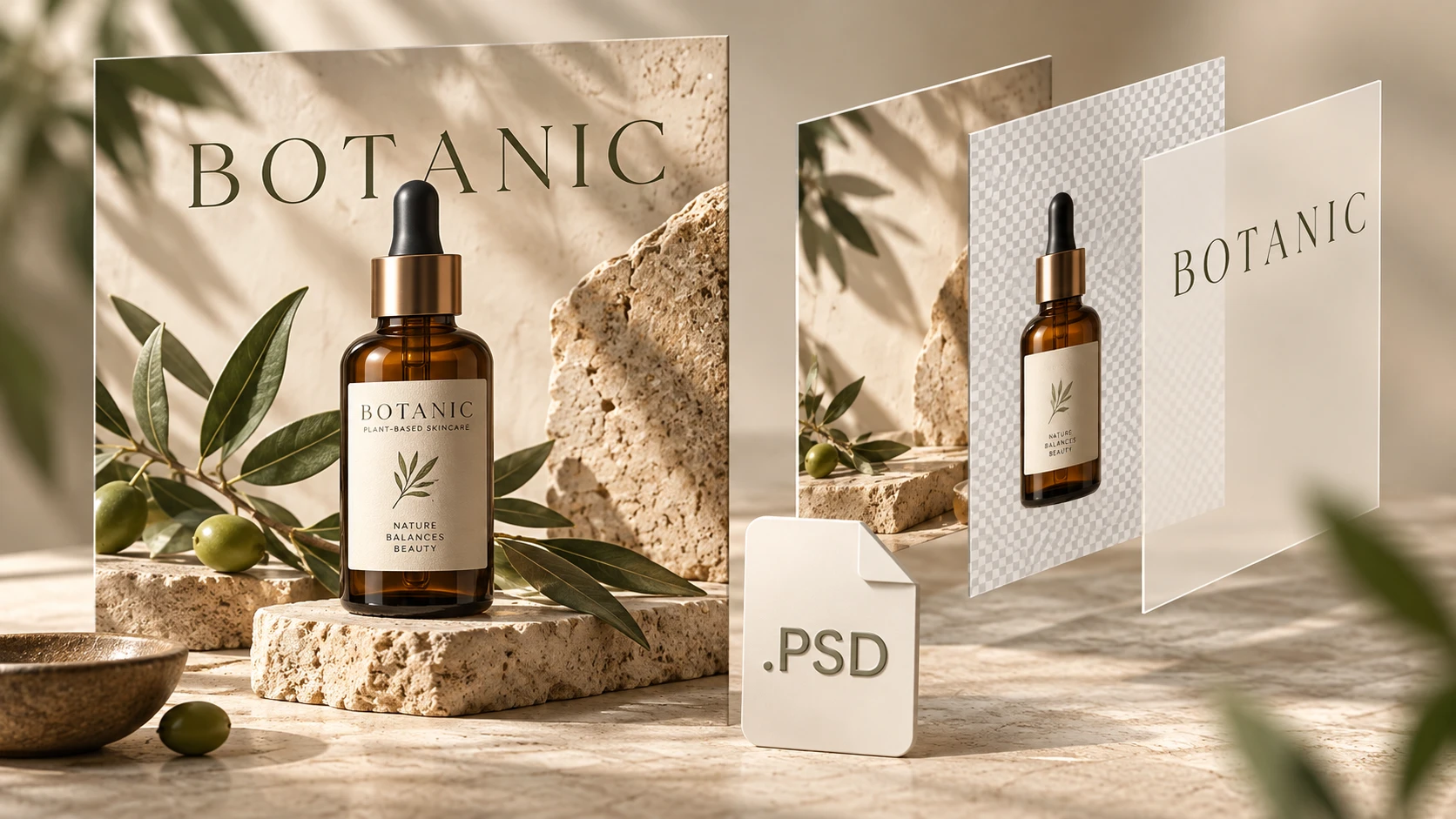
A PSD file is a Photoshop Document: an image-editing file that can preserve separate layers and other information used to build a design. Its filename ends in .psd. Think of it as the working document behind an image, rather than only the finished picture you share.
So, what is a PSD in everyday work? A designer might send product-campaign.psd so another person can continue editing the campaign. They might send product-campaign.jpg when the recipient only needs to see the finished design. Adobe identifies PSD as Photoshop's native document format.
What Does a PSD File Contain?
A Photoshop document can store pixel layers, editable text, masks, adjustment layers, and smart objects. Masks control which areas show; adjustment layers store changes such as color adjustments; smart objects can retain source content for further editing. What survives in another application depends on that application's support. Adobe's file format overview explains which Photoshop information different formats preserve.
Imagine a simple product poster made with three parts:
- Background: a colored backdrop that fills the canvas.
- Product: a bottle image placed above the background.
- Headline: text added separately above the picture.
If those parts remain separate, you can move the bottle without moving the headline. If someone merges everything into one image layer, that independence is gone. Both files can still have the .psd extension.
A PSD can also contain just one flattened image. Even a multilayer PSD may have lettering baked into an image rather than stored as editable text. Check the actual layer contents before assuming you can replace a headline or remove an object.
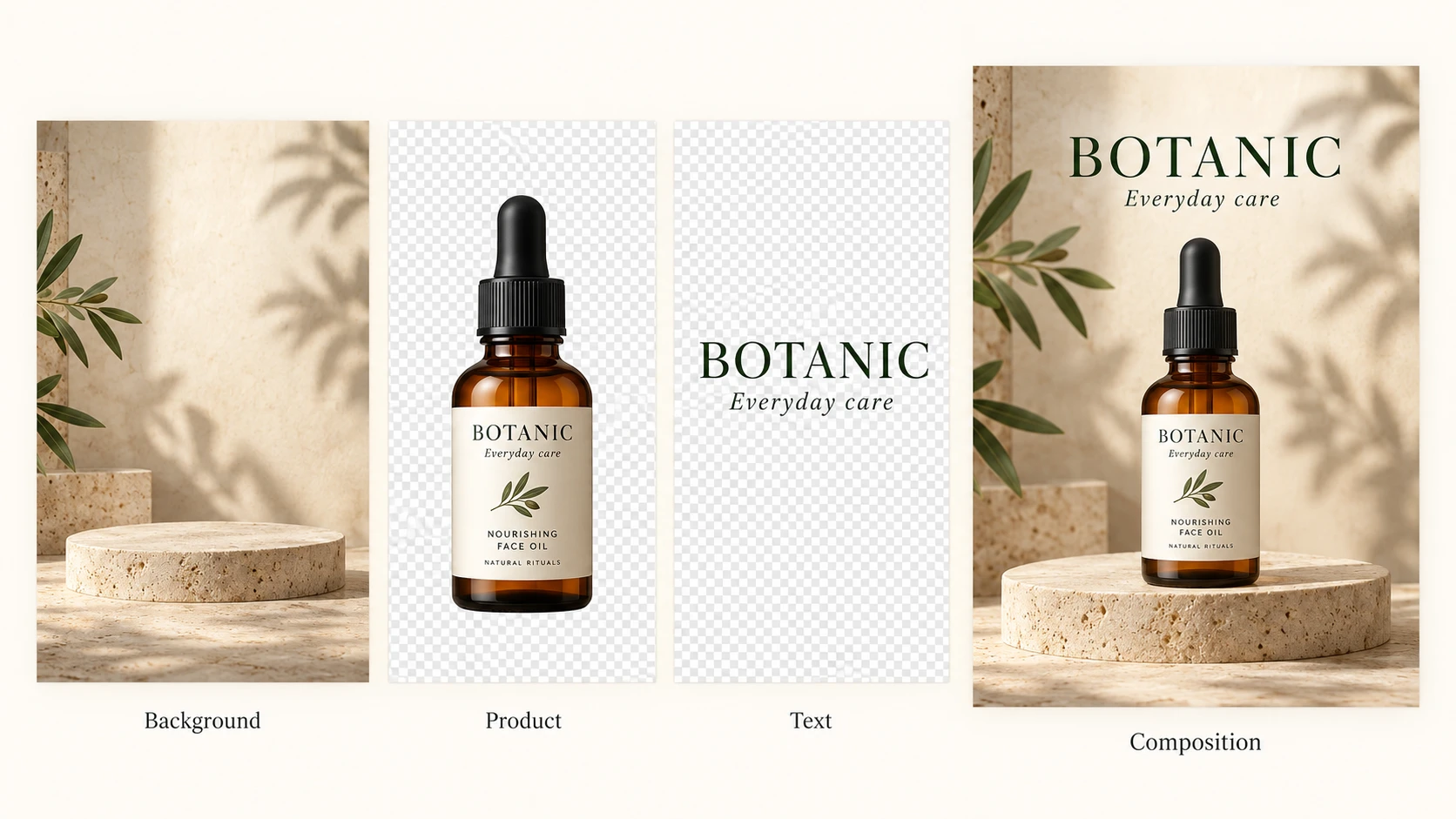
Conceptual illustration: background, product, and text can remain separate within a PSD document.
In a document organized this way, you could move the product without moving the background. Whether the lettering is editable text or part of a picture depends on how the file was created. Check the Layers panel to see what your own PSD actually contains.
What Are PSD Files Used For?
A PSD is useful when you expect to revise the design. For example:
- Product campaigns: keep a product cutout separate while trying different backgrounds.
- Social graphics: reuse a layout and update separately stored headlines for each post.
- Photo compositions: keep placed images and masks available for later refinement.
- Design handoffs: give the next editor the working document, together with any fonts or linked assets they need and are licensed to use.
For a handoff, send a preview alongside the PSD. A recipient can check the intended appearance before opening the working document. Name important layers clearly and keep an untouched copy of the original.
PSD vs JPG, PNG, and PDF
Choose the format for the next person's task: editing a design, viewing a picture, or reviewing a document.
| Format | Best role | What to expect |
|---|---|---|
| PSD | Working design document | Can retain Photoshop layers and transparency; needs compatible software. |
| JPG / JPEG | Photo previews and sharing | Flattened image with lossy compression; no transparent background. |
| PNG | Graphics and transparent assets | Lossless raster image that supports transparency; does not retain Photoshop editing layers. |
| Document review and delivery | Can contain text, vectors, and images. Photoshop editability depends on how it was created and saved. |
For the poster example, keep the PSD as your master. Send a JPG preview for feedback, export a PNG when you need existing transparency, or prepare a PDF if the recipient requests a document. A PDF containing only a rendered picture will not turn that picture into editable text or shapes.
How to Open a PSD File
1. Open the Working Document
In Photoshop, choose File → Open and select the PSD. Inspect the Layers panel, then save a working copy before making changes. If the file reports missing fonts or linked assets, request them from its creator rather than assuming the appearance will stay identical.
A browser editor is another option. Photopea documents opening files from your device and saving PSD documents in its opening and saving guide. Check important details after importing a complex file; being able to open it is not a guarantee that every feature behaves exactly as it does in Photoshop.
2. Check Whether You Only Need a Preview
If you do not need to edit anything, ask the sender for a JPG or PNG preview, or open the file in our free PSD Viewer. It runs in your browser without uploading the file, lets you hide and show layers, lists the text and fonts used, and saves PNG or JPG. Our PSD to JPG and PSD to PNG converters are free too and can export every layer as its own PNG.
These tools open PSD and PSB files up to 500 MB in RGB, grayscale, indexed, bitmap or CMYK at 8, 16 or 32 bits. When the file contains a saved composite image they use it; otherwise they rebuild the picture from the layers, including blend modes, masks, clipping and groups. Layer styles, adjustment layers and smart filters are not redrawn in a rebuilt image, and Lab, Duotone and Multichannel files need converting to RGB in Photoshop first.
How to Convert a PSD File
- Keep the original PSD. Export a separate copy so the working document remains available.
- Choose the output for your purpose. JPG suits opaque previews; PNG suits graphics that need existing transparency. For PDF delivery, confirm the recipient's page and print requirements.
- Preview the result. Check dimensions, colors, text, and transparent edges before sharing it.
- Download and open the exported file. Verify the file itself, not only the converter's on-screen preview.
Changing a filename from .psd to .jpg does not convert its contents. Similarly, saving a flat JPG into a PSD does not reconstruct its original design layers. If you are starting with a flat image and need separate objects, read how to turn a flat image into a layered PSD or explore Image to PSD.
Advantages and Limitations of PSD Files
The practical advantage is keeping a design ready for revision. The tradeoff is that you need to manage the working document as well as the final exports. Files with many large layers can take more storage and memory than a small review image.
PSD supports documents up to 2 GB and 30,000 pixels in either dimension; Photoshop's PSB format serves larger documents. These are format limits, not promises that every online tool can process a file that large. See Adobe's PSD overview.
For everyday work, check three things before choosing a tool: whether it supports your file, whether you need to edit or only view it, and what format the next person expects.
PSD File FAQ
What Does PSD Stand For?
PSD stands for Photoshop Document. In an image-design workflow, “a PSD” usually means a file saved with the .psd extension.
Is a PSD File a Vector File?
PSD is primarily a raster editing document, although it can also hold text, paths, and vector-based content. A picture inside a PSD does not become infinitely scalable simply because the file uses that extension.
Can I Open a PSD Without Photoshop?
Yes, compatible applications can open PSD files. Decide whether you need a visual preview or full editing support, and check the imported result before replacing your original.
Is PSD Better Quality Than PNG?
Not automatically. A PSD and a PNG can show the same pixel image at the same dimensions. PSD's main advantage is retaining supported editing information; it does not add missing detail to a low-resolution source.
Why Is My PSD Only One Layer?
It may have been created from a flat image or flattened before saving. Renaming the layer or exporting it again does not recover independent objects. Ask for the original layered document if one exists.
Should I Send a Client a PSD or a JPG?
Send a JPG or PNG when they only need to review the appearance. Send the PSD when they need to continue editing and the agreed handoff includes the working file. Providing both avoids confusion about the intended result.
Try Image2Layer with your own image
Upload a JPG, PNG, or WebP image and export editable layers, transparent PNG assets, or a layered PSD.
Open Image2Layer