Knits up in proportion
Count your swatch over 10 cm, type in both numbers, and the chart gets the rows your gauge needs, so a round face stays round. The finished size shows in cm and inches.
Free knitting chart maker
Image2Layer's knitting chart generator turns a picture into a colorwork chart sized to your gauge, free in your browser. Choose 10 to 250 stitches and up to 16 yarns, then get a PDF with every row in words.
1. Upload a picture
Try a sample
2. Size and gauge
3. Colors and technique
Your knitting chart appears here
Upload a picture or try a sample to see the chart, a knitted preview and every row in words.
Free, no sign-up, no watermark. Your picture never leaves your device.
What it makes
This knitting chart generator turns a picture into a colorwork chart you can knit from: one cell per stitch, one letter per yarn, and as many rows as your gauge needs so the knitted picture keeps its shape. As a knitting colorwork chart generator it also draws a knitted preview beside the chart, so you can judge the colors before you cast on.
Every row is also written out as counts, such as 4 A, 18 B, 4 A, with its side and direction, and the print has row numbers, a bold line every 10 and long floats in red. It is a knitting pattern from a picture for the colorwork part; the shaping of the sweater or hat still comes from your own pattern. Working in crochet instead? Use the crochet graph generator.
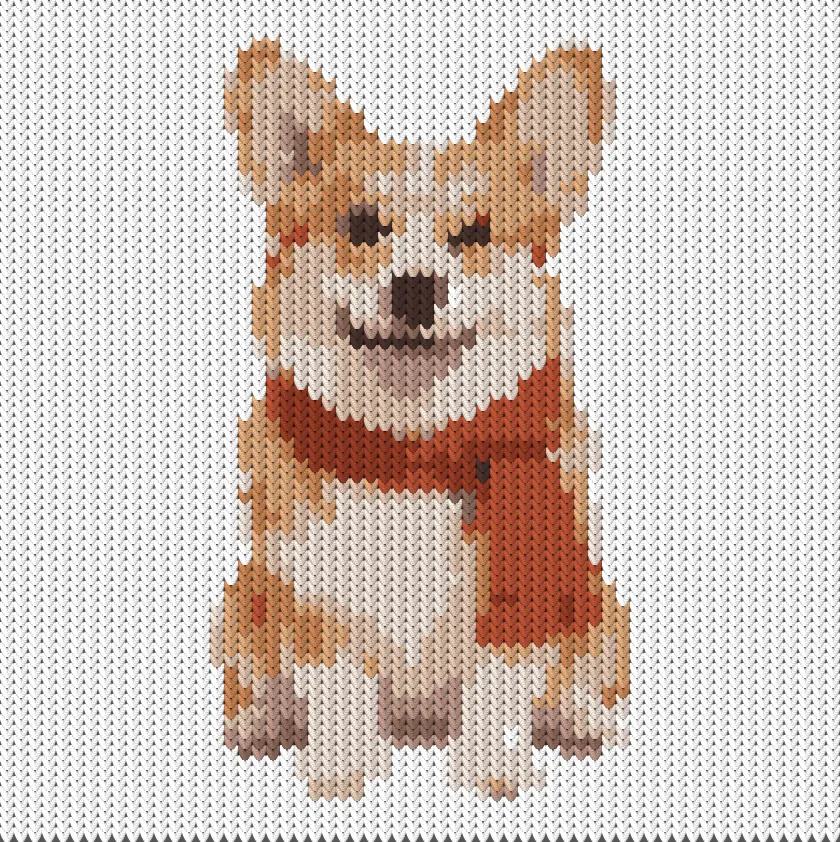
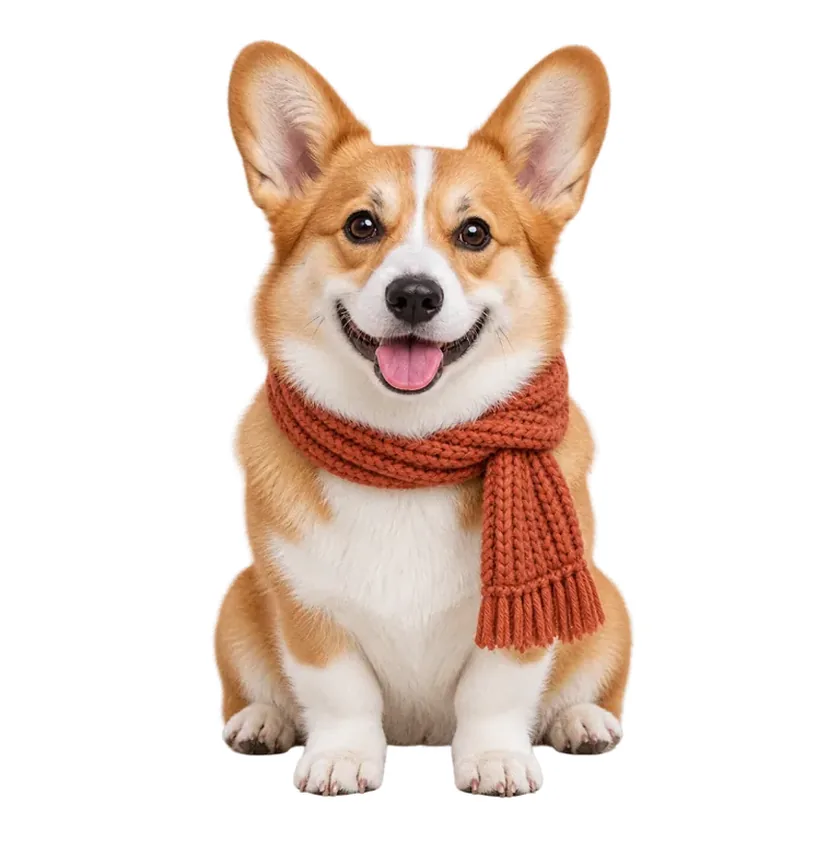 PictureKnitted
Six reasons this knitting chart maker saves you an evening of graph paper.
Count your swatch over 10 cm, type in both numbers, and the chart gets the rows your gauge needs, so a round face stays round. The finished size shows in cm and inches.
Limit Fair Isle rows to 2 or 3 colors and set the longest float. Runs over the limit are marked in red, so you know where to catch the yarn.
Each row reads like 4 A, 1 C, 18 B, with RS or WS and an arrow for the direction, so you can follow the counts instead of counting squares.
Pick up to 16 yarns from the picture, then click any of them to swap in the shade you have in your stash. The chart and the files follow.
A first page with size, gauge and yarns, the chart in numbered parts on A4 or Letter, in color or letters only, and then all the rows.
No account, no watermark and no limit. The picture is charted on your own device and never leaves it.
Three steps, all in this page: no app, no account and no upload to a server.
Three things this tool does that plain graph paper cannot. Each picture below came out of it.
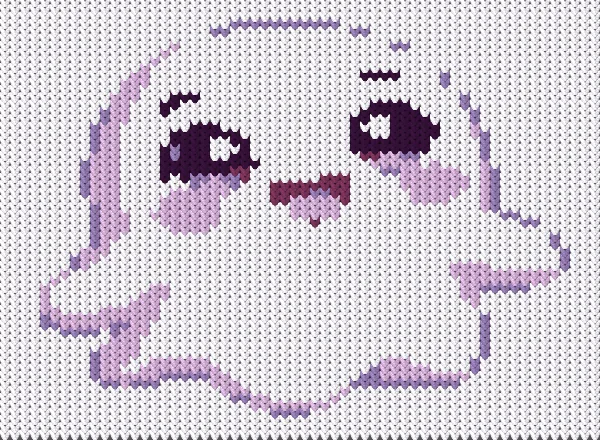
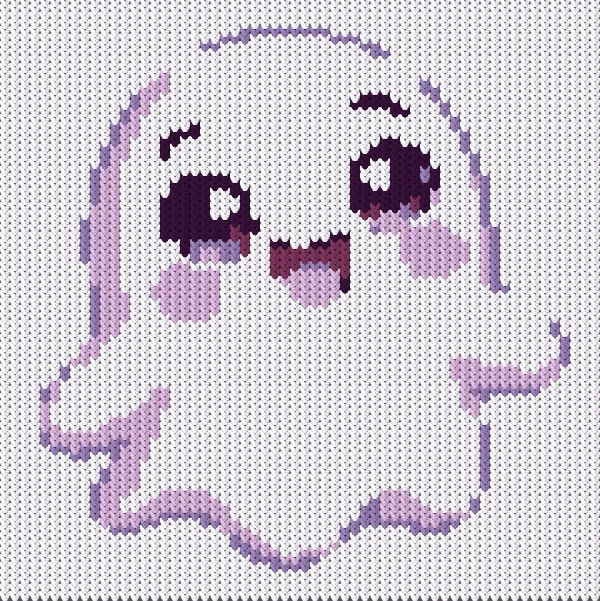
Both ghosts come from the same picture, knitted at 22 stitches and 30 rows. On the left, the chart was drawn on a square grid and the ghost comes out wide and flat. On the right, this colorwork chart added rows for the gauge, 82 instead of 60, and the ghost keeps its shape. Pixel art charts from photo to pixel art are square too, which is why knitters need this step.
Chart at your gauge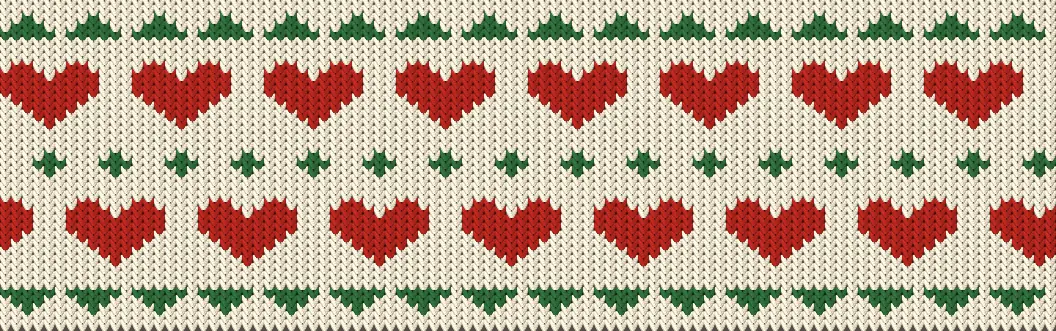 Move to read the chart
This folk hearts band is set to Fair Isle, 2 colors per row and a 7 stitch float limit, knitted in the round. Move the lens over the knitted preview to read the chart beneath: the red lines are the runs at the tips of the hearts where a float would hang longer than 7 stitches, so you can catch it there. As a fair isle chart maker it also brings down any row that has too many colors.
Make a Fair Isle chart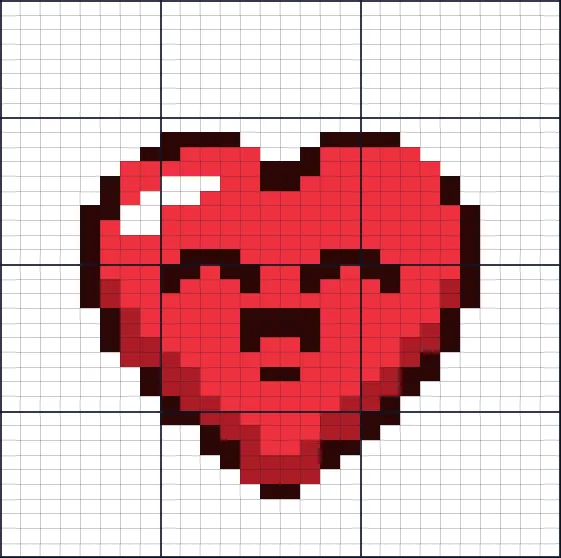
Rows 17 to 22 of this little heart, as the tool writes them for flat knitting, each right-side row starting on the right and each wrong-side row on the left. The PDF and the Rows (TXT) file hold every row of the chart, so you can tick them off as you go. For cross stitch from the same picture, use the cross stitch pattern maker.
Get the rows in wordsEach chart below was made by this knitting chart generator from the picture shown first, all at a gauge of 22 stitches and 30 rows per 10 cm. Hover a card to compare, or open it for the settings.
A sticker drawing in six grays and browns for the front of a sweater, with crisp edges picked on its own.
A busy holiday picture kept readable in twelve colors: both scarves, the beaks and the mug still stand out.
A photo style pet portrait in eight browns and whites, sized for a blanket square of about 32 cm.
Soft watercolor turned into six flat yarns, with the teal splashes kept as one color.
A cute food sticker in five yarns for a child’s cardigan pocket or a mug cozy.
Star on top, red baubles and a brown trunk: a quick motif for a festive jumper or a stocking.
Four habits that make the chart easier to knit and nicer to wear.
Bold shapes, a plain background and a few colors chart best: drawings, logos, pets and simple scenes. If the background is busy, remove it first with cut out image, or split the picture with image to layers and chart only the part you want.
Use the yarn, needles and stitch of the project for a swatch, wash it the way you will wash the piece, and count stitches and rows over 10 cm. Enter both numbers: they decide how many rows the chart gets.
A picture reads better with more stitches than with more colors. Try 2 or 3 colors per row for Fair Isle, or 4 to 8 yarns in blocks for intarsia, and keep Tidy single stitches on so lone dots do not clutter the chart.
Start at the bottom right. The bold lines every 10 stitches and rows help you keep your place, and the Rows view or the TXT file lets you tick off each row as you finish it.
This tool next to charting by hand and next to knitting chart software.
Knitting chart software free or paid varies a lot, so check the features of any program you consider. Here you get intarsia charts free, and Fair Isle charts too.
Anyone who wants a picture in their knitting.
Knit your dog, a name or a favorite motif across the front of a sweater, or make a colorwork chart in the round for a hem or a sleeve band.
Small Fair Isle bands knitted in the round, with the colors kept to two per round.
Trees, snowflakes and stars for festive jumpers and stockings, and fair isle knitting charts of animals for gifts.
Use it as an intarsia knitting chart maker for a blanket square or a pillow front, with one bobbin per area.
Create a knitting chart from a photo of a favorite toy or animal for a little cardigan.
Make knitting colorwork charts free, printable and ready for a pattern, a class or a club, then place the PNG in your own layout. For a vector outline of a motif, use PNG to SVG.
Answers about gauge, floats, reading the chart and printing it.
Other print and craft tools that work on the same picture, free in your browser.
Four more ways to turn one picture into a pattern.
Knitting chart generator
Upload a picture, set your gauge and download a printable chart with every row in words. The knitting chart generator is free and runs in your browser.
Make a knitting chart